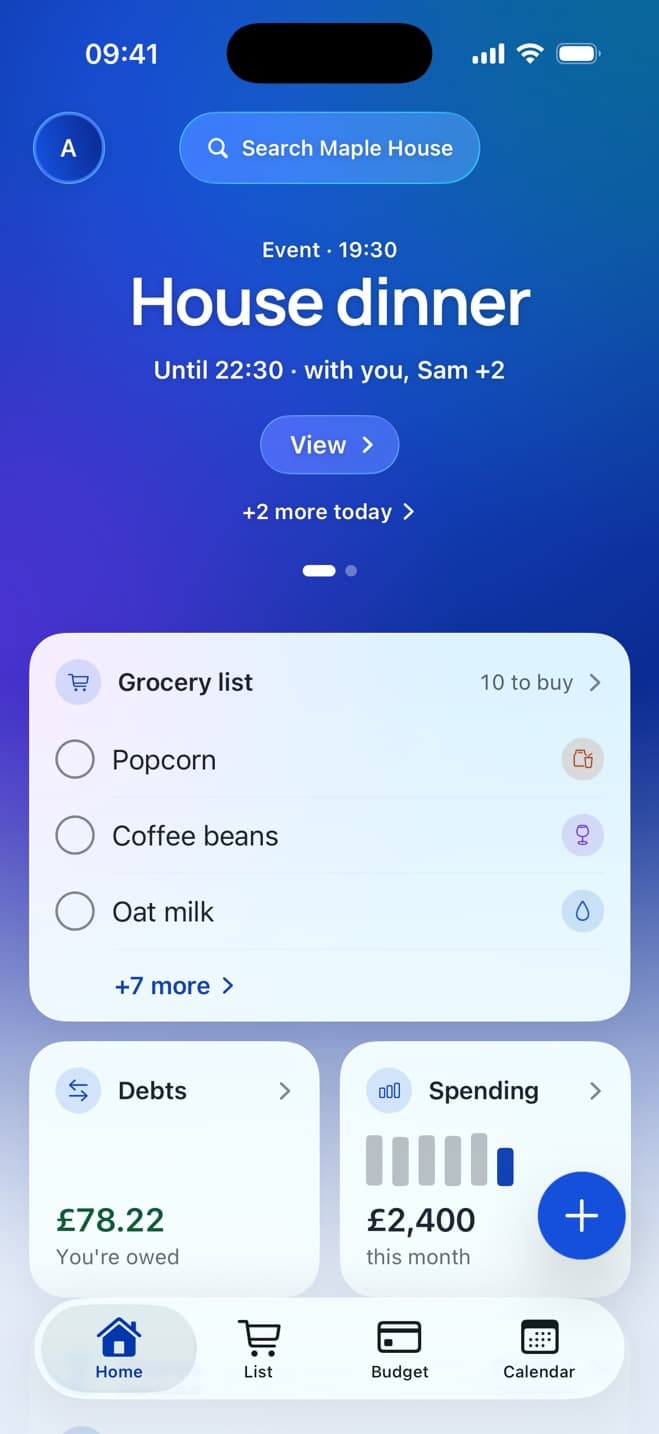
Free on iPhone · Android coming soon
Live together,
minus the awkward.
Bills, chores, the grocery list and the calendar for everyone you live with. The app does the asking, so you don't have to.
1 month of Pro free
Free plan for two · No daily limits · No ads
Nobody has to be the one who asks
Things you'll never have to say again.
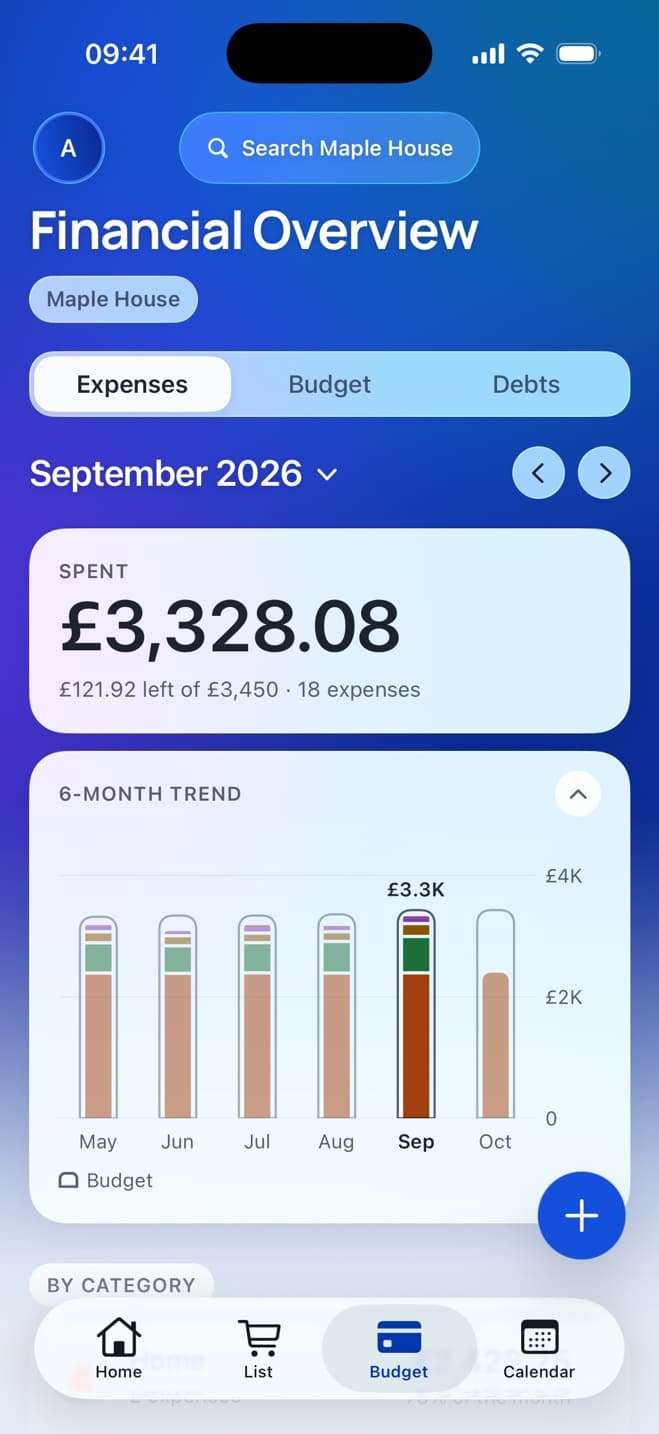
You won’t have to say: “Has anyone paid the electric?”
It's already in.
Rent, energy and broadband log themselves on the day they're due, split the way you agreed.
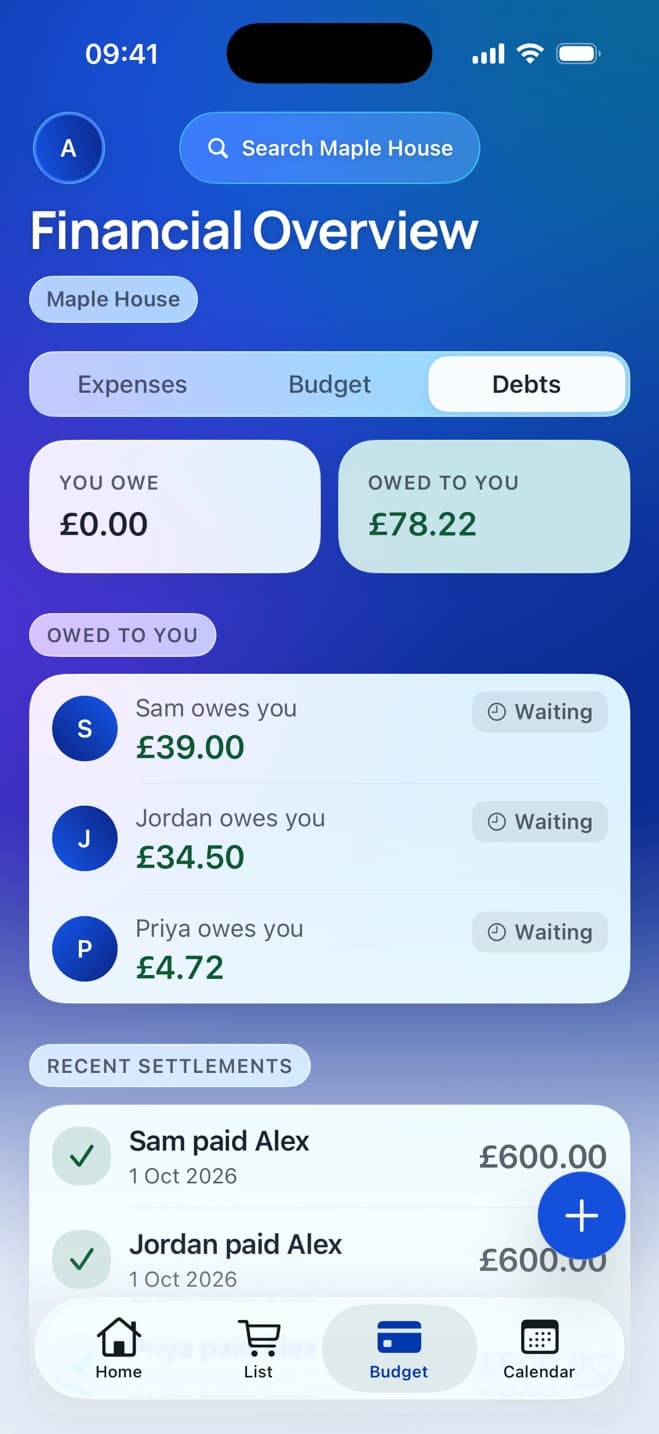
You won’t have to say: “Can you send me the £34.50?”
The app says the number.
Everyone sees who owes who, boiled down to the fewest payments. Settle up with a tap.
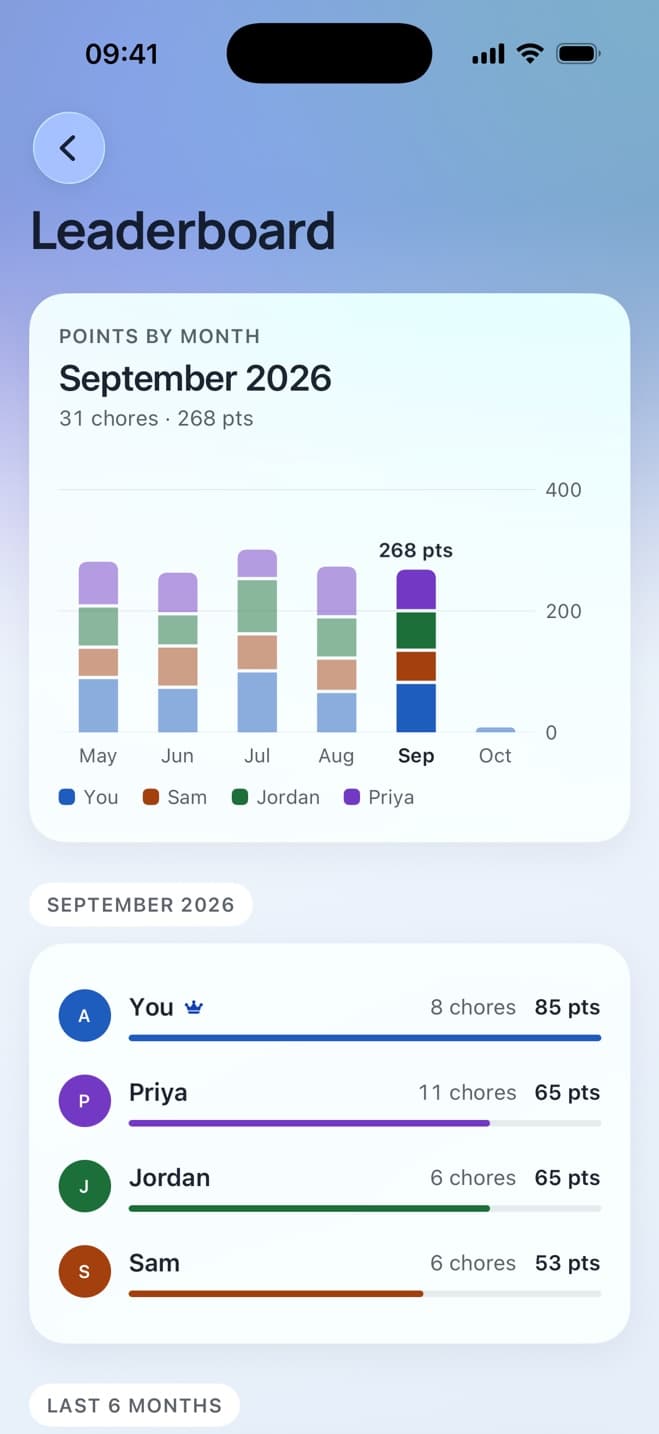
You won’t have to say: “Whose turn is the bathroom?”
It has a name and a day on it.
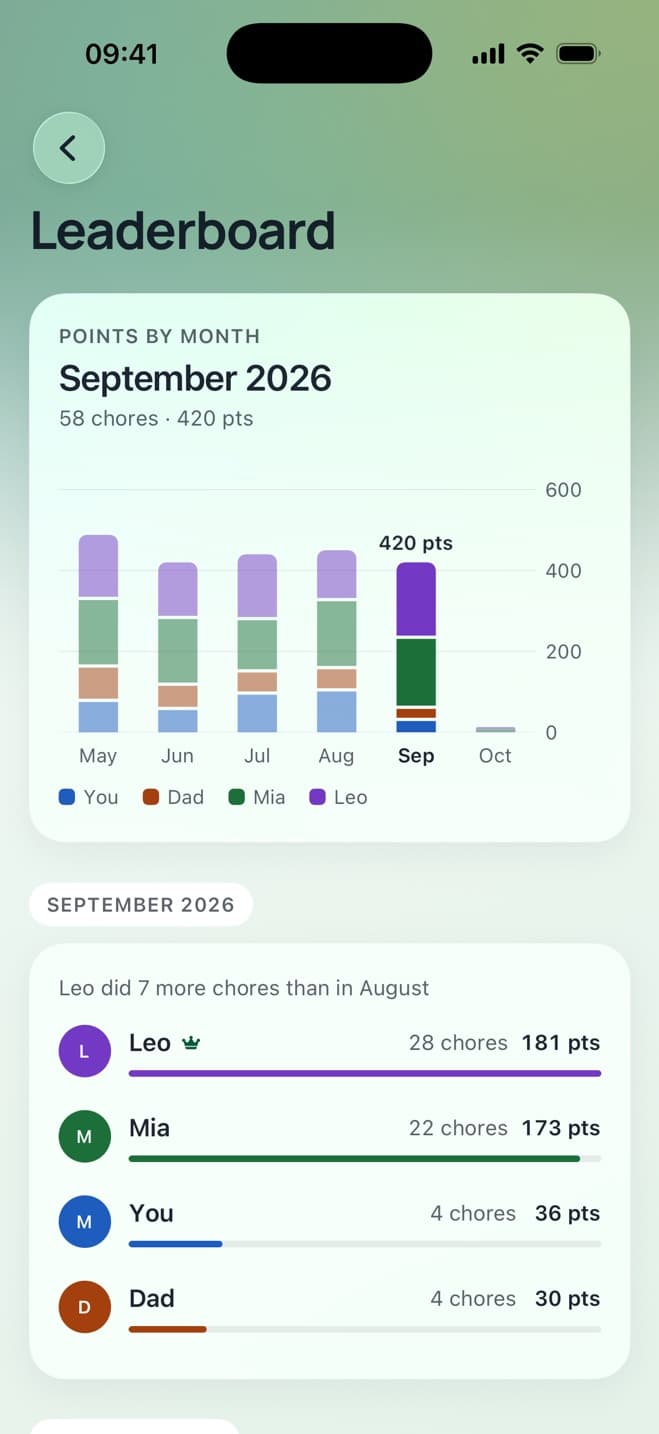
Chores come round on their own. Points and a monthly leaderboard do the nagging.
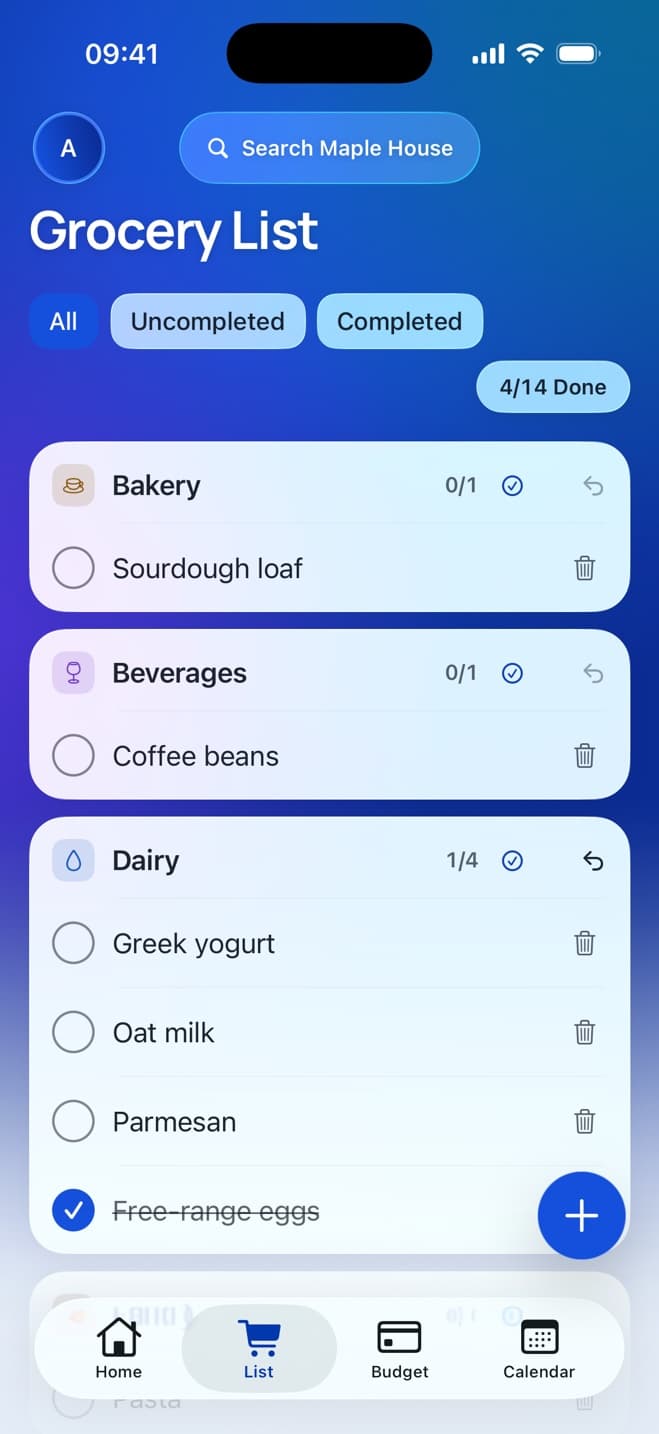
You won’t have to say: “Do we need anything from the shop?”
Check the list.
One list, live on every phone and grouped by aisle. Whoever's passing gets it.
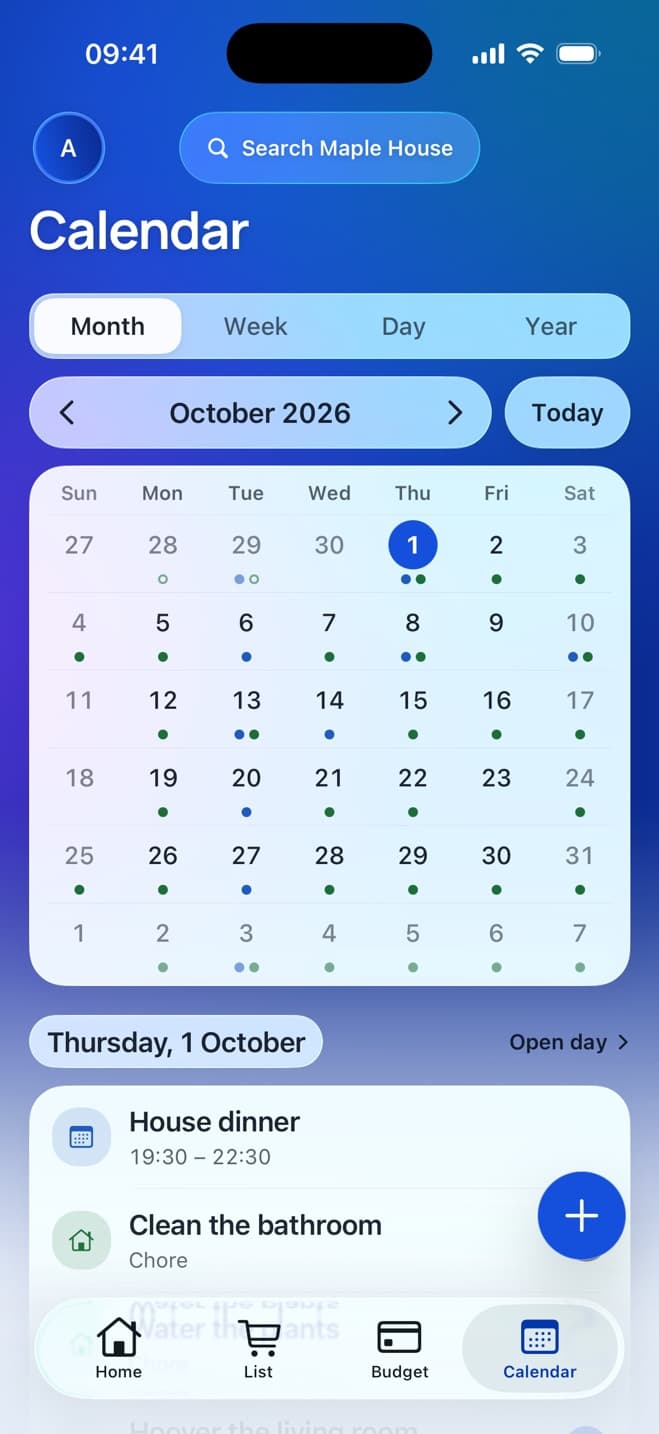
You won’t have to say: “Wait, your mum's staying this weekend?”
It's been on the calendar for a week.
House plans with reminders, so everyone knows what's coming.
Stop asking. Get House Plan.
1 month of Pro free
Free plan for two · No daily limits · No ads
And the rest of the house
Partner staying over? Add them as a guest.
Give a guest access to only the areas you choose (the grocery list and calendar, say, but not the money) and set the day their access ends.
Guests on Free
1 guest at a time, for up to 7 days
Guests on Pro
Up to 4 guests, for up to 6 months
More than one home
1 on Free, up to 3 on Pro
- No ads, ever
- Works offline
- Dark mode & themes
- Invite by link or code
- We don't sell your data
How it works
Set up your house tonight. It takes two minutes.
- 1
Create your house.
Name it, pick a theme and add the rent. That's the hard part done.
- 2
Invite your people.
Send a link to the group chat, or share a code. They tap, install and they're in.
- 3
Let the house run itself.
Bills add themselves, chores come round and the list stays live. You just live there.
Create your house: free
1 month of Pro free
Free plan for two · No daily limits · No ads
Who it's for
However your house works.
Four people, one fridge, zero spreadsheets.
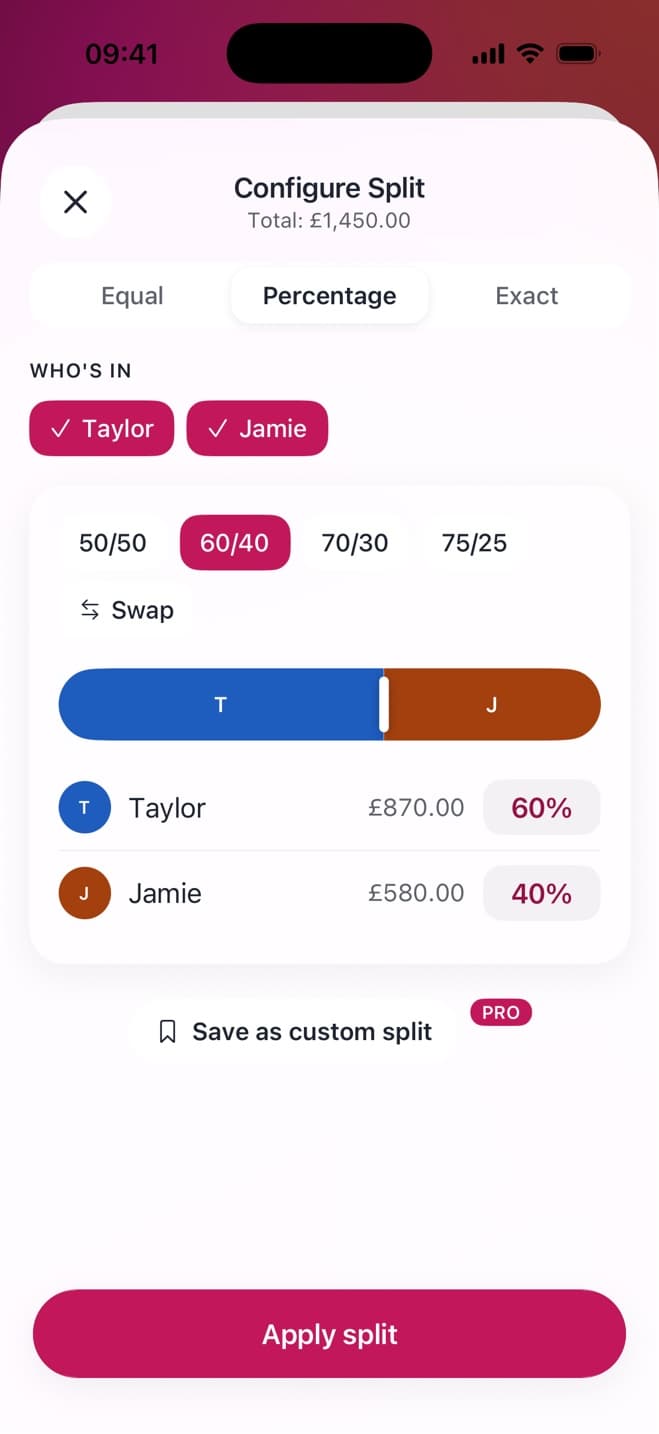
- Rent and bills split on the day they're due, and who owes who in one place
- A chore rota that runs itself, and a leaderboard that settles the arguments
- One Pro covers the whole house: up to 6 of you, $8.75 each a year split four ways
Moving in? Start fair.
- Split 50/50, or by income: set it once and stop discussing it
- A shared list, so the “can you grab…” texts stop
- Free for two, and it stays that way
Share the load, not just the chores.
- Chores with points, so the kids are competing to empty the dishwasher
- One grocery list the whole family adds to when they finish something
- A calendar for clubs, visits and bin day, plus guests for the grandparents' fortnight
Honest proof
Small, new, and honest about it.
No ads. Ever.
The free plan pays for itself by being good enough that some houses upgrade.
We don't sell your data.
Your bills and your house stay yours.
Read the privacy policyFree isn't a trial.
The free plan doesn't run out. Two people can use it for as long as they like.
Works offline.
Add it in the shop or on the Tube. It syncs when you're back.
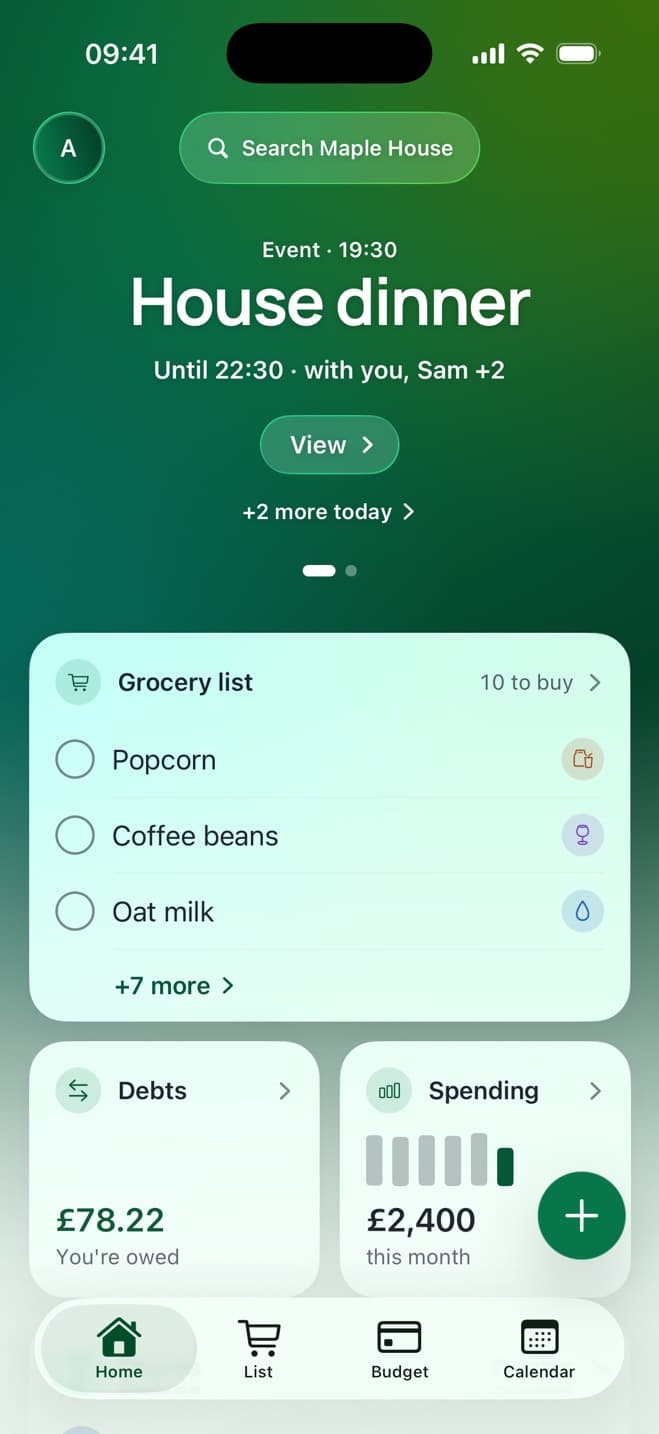
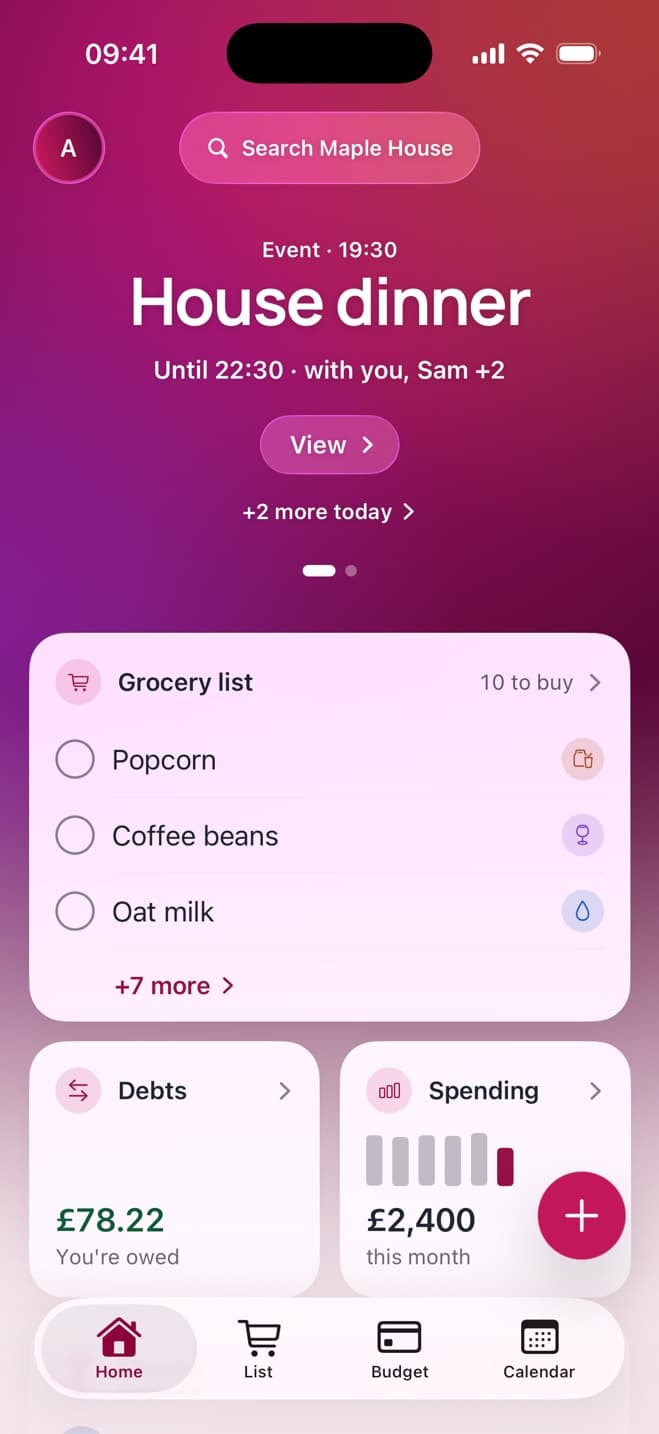
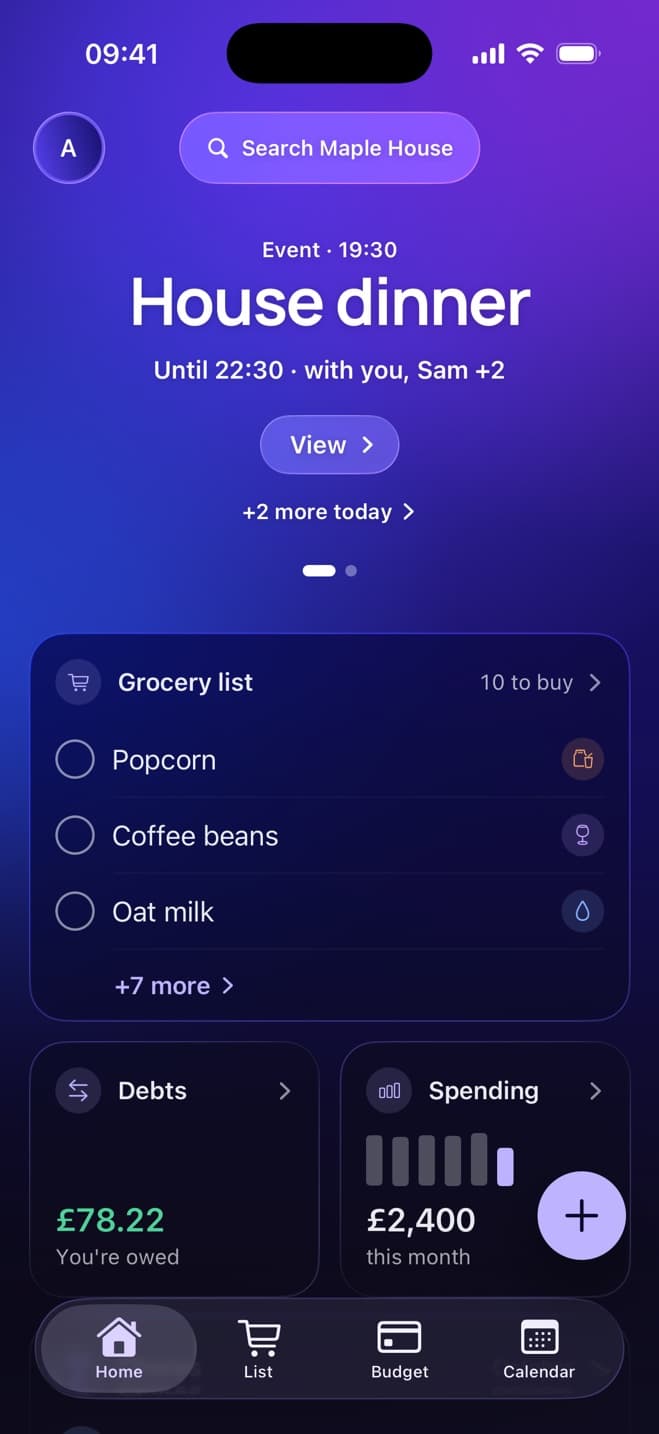
Actual app. No mock-ups.
Make it feel like home.
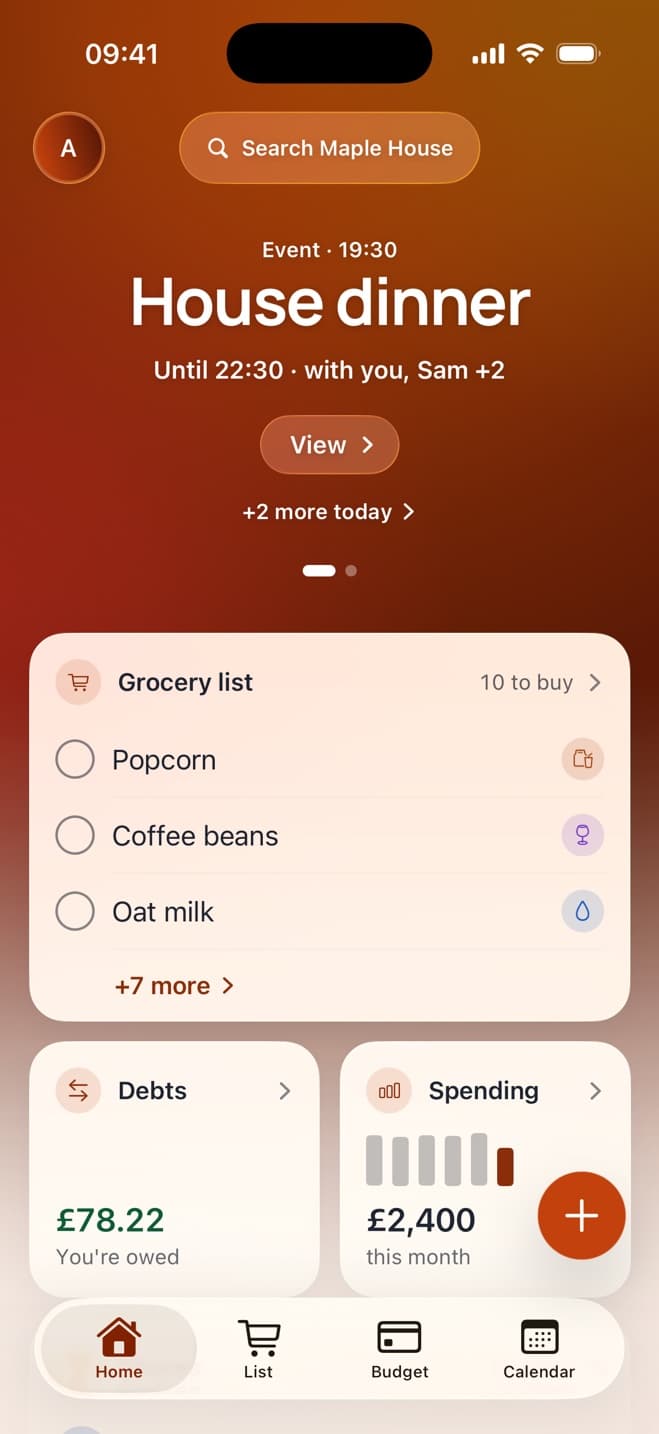
Six colour themes and a proper dark mode. Pick one for the house, or your own just for you.
Pricing
Free for two. One Pro for the whole house.
No ads on either plan. No countdowns, no daily nagging, no surprises.
Free
Not a trialFor couples and two-person homes. Free for good, not a trial.
- Up to 2 members
- Unlimited expenses, no daily limit
- Up to 4 active chores
- Up to 20 grocery items
- Up to 2 recurring bills
- 1 house of your own
- 1 guest at a time, for up to 7 days
- Every split type, debts, settle-up, the budget, the calendar, themes, offline sync
Get House Plan: free
Download on theApp StorePro
Covers the whole house$2.91/month
billed yearly at $34.99
That's $8.75 a year each in a house of four.
For houses of three or more, or more than one home.
- Up to 6 members, all on Pro
- Unlimited expenses, no daily limit
- Up to 20 active chores
- Unlimited grocery items
- Unlimited recurring bills
- Up to 3 houses of your own
- Up to 4 guests, for up to 6 months
- Expenses in any currency
- Saved custom splits
Start your free month
Download on theApp Store1 month free, then $34.99/year. Cancel in your iPhone settings before it ends and you pay nothing.
How Pro works: the person who set up the house subscribes, and everyone in it gets Pro. Nobody else pays. Subscriptions are handled by Apple, so you can cancel from your iPhone's settings in two taps.
Compare every limit
| Limit | Free | Pro |
|---|---|---|
| Members | 2 | 6 |
| Expenses a day | Unlimited | Unlimited |
| Active chores | 4 | 20 |
| Grocery items | 20 | Unlimited |
| Recurring bills | 2 | Unlimited |
| Houses you own | 1 | 3 |
| Guests at a time | 1 | 4 |
| Longest guest stay | 7 days | 6 months |
| Multi-currency | — | ✓ |
| Saved splits | — | ✓ |
| Ads | Never | Never |
Prices in US dollars; the App Store shows your local price.
Compared
Coming from Splitwise?
Splitwise is good at money. House Plan does the money and runs the rest of the house: chores, the grocery list and the calendar, in the same app, with the same people. And one Pro covers everyone.
See the full comparisonOne app, not three
Money + chores + groceries + calendar
Priced per house
One Pro covers up to 6 people
No ads, no countdowns
Never, on any plan
Questions
Asked and answered.
Is House Plan really free?
Yes. The Free plan is free for good, not a trial, and it has no ads. It covers two people with unlimited expenses (no daily limit), 4 active chores, 20 grocery items, 2 recurring bills and a guest for up to a week. Most couples never need more.
Do my housemates have to pay too?
No. Pro belongs to the house. The person who set up the house subscribes, and everyone in it (up to 6 people) gets Pro. Split the cost however you like. We'd suggest using House Plan.
What happens when we hit a Free limit?
Nothing breaks and nothing is deleted. You just can't add the next one: the 5th active chore or the 21st grocery item, for example. Finish a chore or tick off an item and there's room again. Expenses never run out: there's no daily limit on any plan. Or upgrade to Pro.
What happens when the free month ends?
If you do nothing, Pro renews at $34.99/year (or $3.99/month, if that's what you chose) through your Apple ID. Cancel any time before the trial ends in Settings → your name → Subscriptions, and you won't be charged. Your house drops back to Free, and your data stays.
My housemate has an Android phone. Can they join?
Not yet, and we're sorry about that. The Android app is coming soon. Email jack@house-plan.app and we'll tell you the day it's live, so the whole house can join. Until then, House Plan works best when everyone in the house has an iPhone.
How is it different from Splitwise?
Splitwise is built for splitting money. House Plan is built for running a home: the money (splits, debts, settle-up, recurring bills, a budget), plus chores, a live grocery list and a house calendar. Pro is priced per house rather than per person, and there are no ads on any plan.
Can I bring my history over from Splitwise?
Not automatically yet. Most houses start fresh: settle up in Splitwise, then add the next bill in House Plan. It takes about two minutes to add your recurring bills, and they carry on from there.
Is my data private?
Yes. We don't sell your data and we don't show ads. Only the people in your house see your house, and guests only see the areas you choose. You can delete your account from the app at any time. The privacy policy has the details.
Does it work offline?
Yes. Add expenses, tick off groceries or finish chores with no signal. House Plan syncs as soon as you're back online.
What if someone moves out?
Settle up first, so everyone's at zero. Then they leave the house, or the owner removes them. Edit or end the recurring bills for the new line-up, and invite the new housemate with a link.
Your house, sorted by tonight.
Set it up in two minutes. Invite everyone with one link. Then never ask who owes what again.
1 month of Pro free
Free plan for two · No daily limits · No ads
Scan with your iPhone camera
On Android? You're next.
The Android app is on its way. Email us and we'll send you one message, the day it's ready. No newsletter, no spam.
Tell me when it's ready